
Summary
Questions customers ask before buying a product are best found by combining sales and support conversations with buyer interviews, on-site behaviour, reviews, product Q&A and search data. Record the exact wording, context and purchase impact, then prioritise questions that repeatedly create hesitation. Validate important findings through usability testing and publish each answer where the decision happens, rather than creating a separate page for every variation.
Key Takeaways
- Start with real conversations and observed behaviour, not assumed keyword demand.
- Separate popular searches from questions that genuinely stop a purchase.
- Record the customer’s exact wording, product context and evidence behind each question.
- Score questions by frequency, purchase impact and the quality of the current answer.
- Treat search and AI-generated suggestions as validation signals, not proof of customer demand.
Start With the Decision Customers Are Trying to Make
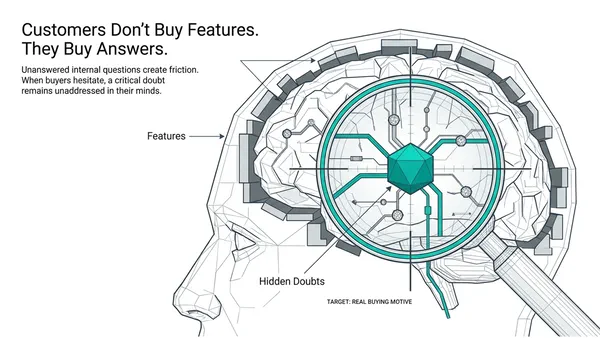
The most useful starting point is not a keyword tool. It is the question a customer is trying to resolve before committing money, time or professional reputation.
A broad search such as “best roof box for a family car” may attract substantial interest. However, “Will this fit my existing roof bars?” is more likely to determine whether someone buys a particular product. The first question may deserve a buying guide. The second probably belongs beside the relevant product, variant or compatibility information.
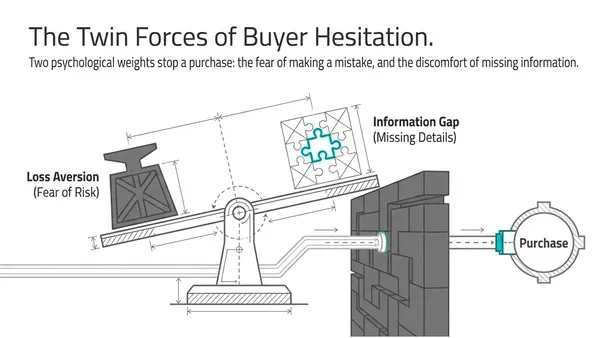
This distinction matters because a search query is not automatically a purchase blocker. Some questions help people explore a category, while others arise immediately before a decision and expose a risk they are unwilling to take.
Begin with one product family and one audience. A replacement-parts buyer may need model compatibility and installation information. Someone comparing premium products may need evidence, trade-offs and total cost. Combining these audiences too early makes it difficult to see which questions influence which decisions.
Collect Questions From Conversations and Behaviour
What are prospects asking your team?
Sales calls, live chats, emails, CRM notes and support conversations usually contain the clearest buying language available to a business. Look for repeated objections, comparisons with competitors, requests for reassurance and questions raised shortly before an order is placed or abandoned.
Ask sales and support staff which questions appear repeatedly and which ones are most likely to delay or lose an order. Add a simple “pre-purchase doubt” tag to relevant conversations so that future analysis is not dependent on somebody remembering the issue later.
Do not only study successful buyers. Include lost deals, delayed decisions and people who chose another product. A buyer can explain what eventually convinced them, but a non-buyer may reveal the unanswered concern that your current customers simply worked around.
How can interviews uncover questions customers do not ask directly?
Ask people to recall a real purchase rather than inviting hypothetical opinions. Useful prompts include: “What did you check first?”, “What alternatives did you consider?”, “What nearly stopped you?”, “Where did you look for an answer?” and “What did you do next?”
If somebody gives a vague answer such as “It would have been nice to have more information”, ask for a specific example. Find out what they were trying to do, what they expected to happen and what evidence would have made the decision easier.
Interviews are valuable, but memories can be reconstructed after the event. For that reason, compare interview findings with live conversations, page behaviour and evidence from people who did not buy.
What can website behaviour reveal?
On-site search data can show what visitors cannot find. Pay attention to searches producing no results, repeated searches using different wording and terms that appear immediately before a visitor leaves or contacts the business.
Usability testing adds context that a search log cannot provide. Give a shopper a realistic task and ask them to think aloud while finding a product. Observe whether they can locate the specification, understand the answer and apply it to the correct variant.
Product Q&A, returns and reviews can reveal expectation gaps involving size, contents, durability, delivery, installation or compatibility. Three-star reviews are often particularly useful because they may describe a basically satisfactory product whose limitations or trade-offs were not clear beforehand. Treat post-purchase comments as clues, though, rather than proof that the same question was asked before purchase.
What if the business has little traffic?
A small business can begin with recent sales and support conversations, a few interviews with buyers and non-buyers, and questions on marketplace listings for comparable products. It does not need a large analytics platform to find useful evidence.
Established retailers can add on-site search reports, Search Console data and segmented analysis by product family, variant, market and customer type. In every case, keep observed customer questions separate from questions suggested by keyword tools or AI systems. A generated idea may be worth investigating, but it is not a customer quote or evidence of demand.
Turn Raw Questions Into Reliable Evidence
What should a customer-question record contain?
Keep the customer’s wording as close to the original as possible, while removing personal information from shared records. Record where the question came from, when it was raised, which product or variant it concerned, the market involved, and whether the purchase stalled.
Also record where the answer currently appears, who owns the answer and whether the customer received a reliable response. This exposes an important difference between a question that has no answer and one that has an answer buried in a policy page, specification sheet or support article.
For business-to-business products, record the stakeholder asking the question. The end user may care about ease of use, procurement may focus on price and terms, and IT or compliance may need security evidence. Treating a buying committee as one person can leave a significant decision-maker’s concern unanswered.
How should similar questions be grouped?
Group questions by the underlying decision rather than matching words alone. “Will it fit a 2022 model?” and “Does it work with the old connector?” may both relate to compatibility, but they require different evidence.
Preserve the constraints that change the answer, such as model, year, dimensions, operating environment, location or selected variant. This prevents the business from merging genuinely different questions into a vague FAQ answer.
Do not create a separate page for every wording variation. Several questions may belong in one well-structured product explanation, provided the relevant exceptions remain clear.
Prioritise Purchase Blockers Over Popular Queries
A practical way to prioritise questions is to score each one from zero to three for frequency, purchase impact and the gap in the current answer. Add those scores to create a planning measure, then record confidence separately.
A question asked often may still be low priority if the answer is already clear. Conversely, a less frequent compatibility question may deserve urgent attention if getting it wrong leads to lost orders, returns or customer dissatisfaction.
For example, shoppers asking whether a wall-mounted bike rack accepts a 2.6-inch tyre may use several phrasings. Confirm the actual limit for each version, explain how to measure the tyre and place the answer beside the variant selector. If customers continue choosing the wrong model, the problem may be the selector or product naming rather than a shortage of written content.
The score is an editorial planning tool, not a scientific ranking formula. Fresh evidence from several independent sources should carry more confidence than a single forum comment or one unusual customer interaction.
Publish the Answer Where the Decision Happens
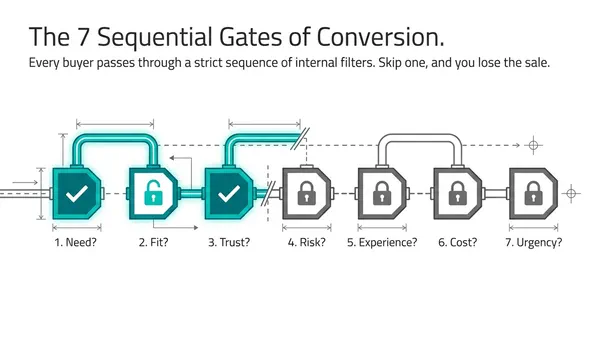
A useful answer is not necessarily a new article. Compatibility, measurements, included components and important limitations usually belong on the product page. The information should appear near the choice it affects, not several clicks away in a general help centre.
Category pages can answer range-level questions, such as which type of product suits a particular use. Comparison pages can explain meaningful trade-offs between models. Delivery, returns and warranty pages should contain the full terms, but the most decision-critical information should also be surfaced near the purchase button.
This is especially important for cost and delivery questions. If a customer cannot find the delivery charge, clearer presentation may remove uncertainty. If the charge is visible but commercially unattractive, rewriting the page will not solve the underlying offer problem.
Use progressive disclosure where detail is extensive. A concise answer can appear first, followed by measurements, exclusions, examples or a link to the full policy. This keeps the page usable without hiding the information required by cautious buyers.
The deliverable is therefore not a bigger FAQ. It is a record of which decisions customers struggle to make, what evidence resolves those doubts and where that evidence needs to appear.
Test Whether the Answer Removed Friction
After publishing an answer, check whether customers can find and use it. Repeat the usability task with a realistic shopper and ask what they expected to see. Watch whether they select the correct product, continue to checkout and understand any limitations.
Track relevant measures such as repeat pre-sales contacts, product-page engagement, add-to-basket activity, conversion and returns associated with the question. Compare similar products or use a controlled test where possible.
Do not assume that people who open a Q&A section and then buy did so because the Q&A caused the purchase. Those visitors may already have had stronger buying intent. Promotions, stock changes, delivery terms and product revisions can also affect results, so annotate those changes when comparing periods.
If a question continues to appear after the answer is published, investigate the experience rather than automatically adding more copy. The problem may be unclear terminology, a confusing selector, an inaccurate specification or an offer that does not meet the customer’s requirement.
Use Search Data to Validate, Not Replace, Customer Evidence
Search Console can reveal queries already bringing people to a product or category page. Filter for terms such as “fits”, “dimensions”, “versus”, “delivery” and “returns”, then compare those findings with sales and support evidence.
Competitor pages, marketplace listings, forums and search suggestions can reveal questions your own customers have not yet asked you. They are useful discovery signals, but they do not reliably show how frequently your customers experience the problem. Validate them before investing in a new page or product change.
AI-generated search suggestions and answer engines can also expose subjects worth investigating. Record the date, country, wording and cited sources when reviewing them. Their outputs can change, and a phrase produced by an AI system should never be presented as a verbatim customer question.
Search visibility and buying outcomes should remain separate measures. A question may be worth answering because it helps a customer make a confident decision, even if it does not produce a visible search ranking. Visibility starts with being useful, but usefulness only matters if the right person can find and apply the answer.
Research Insights
| Topic / Area | Key Finding | Business Impact | Why It Matters |
|---|---|---|---|
| Frontline conversations | Verbatim objections reveal purchase friction | Identifies blockers before lost sales | Higher-fidelity than guessed demand |
| Search Console data | Shows queries exposing your own pages | Helps refine existing answers | Not a complete market-demand dataset |
| Online cart abandonment | 70.22% average across 50 studies | Shows checkout friction is widespread | Does not prove unanswered questions caused abandonment |
| Product-page Q&A | 2024 US research: 67% submitted questions | Supports timely, visible responses | Indicates Q&A can influence buying confidence |
Sources
Search Engine Land – Content intelligence strategy for AI search
Google Search Console Help – Performance report
Baymard – Cart abandonment rate statistics
PowerReviews – How consumers ask and answer questions in product Q&A
Frequently Asked Questions
How many customers should I interview before acting on a question?
There is no universal number. Start with a spread of recent buyers, delayed decisions and non-buyers, then compare what they say with support records and behaviour. A consistent issue appearing across different evidence sources is more useful than a precise interview quota.
How can I research buying questions without recording customer conversations?
Review written chats, emails, CRM notes, reviews and marketplace Q&A. Ask customer-facing staff to recall recurring objections, and invite recent buyers or non-buyers to describe their decision process. Remove personal details from shared records and establish appropriate consent and retention practices.
Should every important customer question become a separate webpage?
No. Related questions should usually be combined according to the decision they support. A product page may answer compatibility and dimensions, while a comparison guide handles model trade-offs. Separate pages are justified when the audience, intent or evidence required is materially different.
How should I handle questions with different answers for different variants?
Keep the question grouped under the relevant decision, but show the answer for each variant clearly. Include the model, size, year or other condition that changes the result. Place the information beside the selector and check whether customers choose the correct version.
How often should customer-question research be updated?
Review the evidence regularly and after meaningful changes to products, prices, policies, competitors or customer expectations. Keep adding new questions from sales and support conversations. A question library should be a working record, not a document created once and left unchanged.
